
What the Invoice Module does for you
Accounts payable in a kitchen is a thousand small tasks: invoices arrive as PDFs, photos, email attachments, and EDI feeds, someone keys them in by hand, line items get matched to the wrong vendor item, food costs drift, and reconciliation eats hours. The Invoice Module removes the manual data entry and the guesswork, turning a pile of documents into clean, matched, auditable cost data.
How it works, step by step
Every invoice moves through the same path, whether you upload it, forward it by email, or receive it via EDI.
| Stage | What happens | What it means for you |
|---|---|---|
| Submit | Four intake paths: file upload, email forwarding, manual entry, EDI | Use whatever fits your workflow, no single way is forced |
| Scan | AI extracts the vendor, invoice number, date, PO, totals, tax, and every line item | No manual keying, the document becomes structured data |
| Split | Multi-page and multi-invoice files are detected and separated automatically | One scanned stack becomes the right number of individual invoices |
| Match | Product lines are matched to your vendor catalog, fees and tax are auto-classified and skip matching | Costs land on the right items, and non-product lines never clutter the queue |
| Review | Side-by-side data and original image, inline editing, line-item correction | Verify against the source at a glance, fix anything off |
| Resolve | Unmatched items are queued for mapping, and you can create vendor items inline | Close the loop without leaving the invoice |
| Approve | Locks the invoice, updates cost history, creates receiving records | One action turns a reviewed invoice into live cost and inventory data |
| Manage | Filter, sort, bulk-act, and audit across all locations | Stay on top of high volume without scrolling |
What makes it powerful
Beyond the basics, here is what makes the Invoice Module stand out.
It gets smarter every time you use it
Galley learns in two ways. When you map a vendor item by hand, it remembers that decision and applies it automatically to every future invoice from that vendor. And when you correct a field the AI read, it feeds that correction back into how it reads that vendor's invoices, so extraction accuracy climbs alongside matching. Both mapping work and corrections shrink the longer you use the module.
Invoices process themselves through email
Each location gets a dedicated intake email address. Vendors can send invoices straight to it, or staff forward from their own inbox. Galley pulls the attachments, scans them, and creates the invoices with no downloading and no uploading. Location is determined by which address received the email, so there is no manual sorting.
The AI reads the whole document, not just the header
Vendor, invoice number, date, PO reference, totals, tax, and every line item are extracted in one pass, including the vendor's address. Multi-page and multi-invoice files are split automatically, so a single scanned stack becomes the correct set of separate invoices.
Duplicates are caught before they cost you
Galley flags duplicate invoices on the combination of vendor, location, and invoice number. When a duplicate group exists, you can see all versions and switch which one is the active invoice. The same invoice never gets paid or costed twice by accident.
Trusted vendors flow through hands-free
Auto-approval rules let Galley approve invoices automatically once matching is complete. Rules can be scoped company-wide, to a specific vendor, to a specific location, or to a vendor-and-location pair, with the most specific rule winning. Built-in safeguards mean manually entered, reopened, or review-flagged invoices are never auto-approved.
Fees and tax stop polluting your data, and code themselves
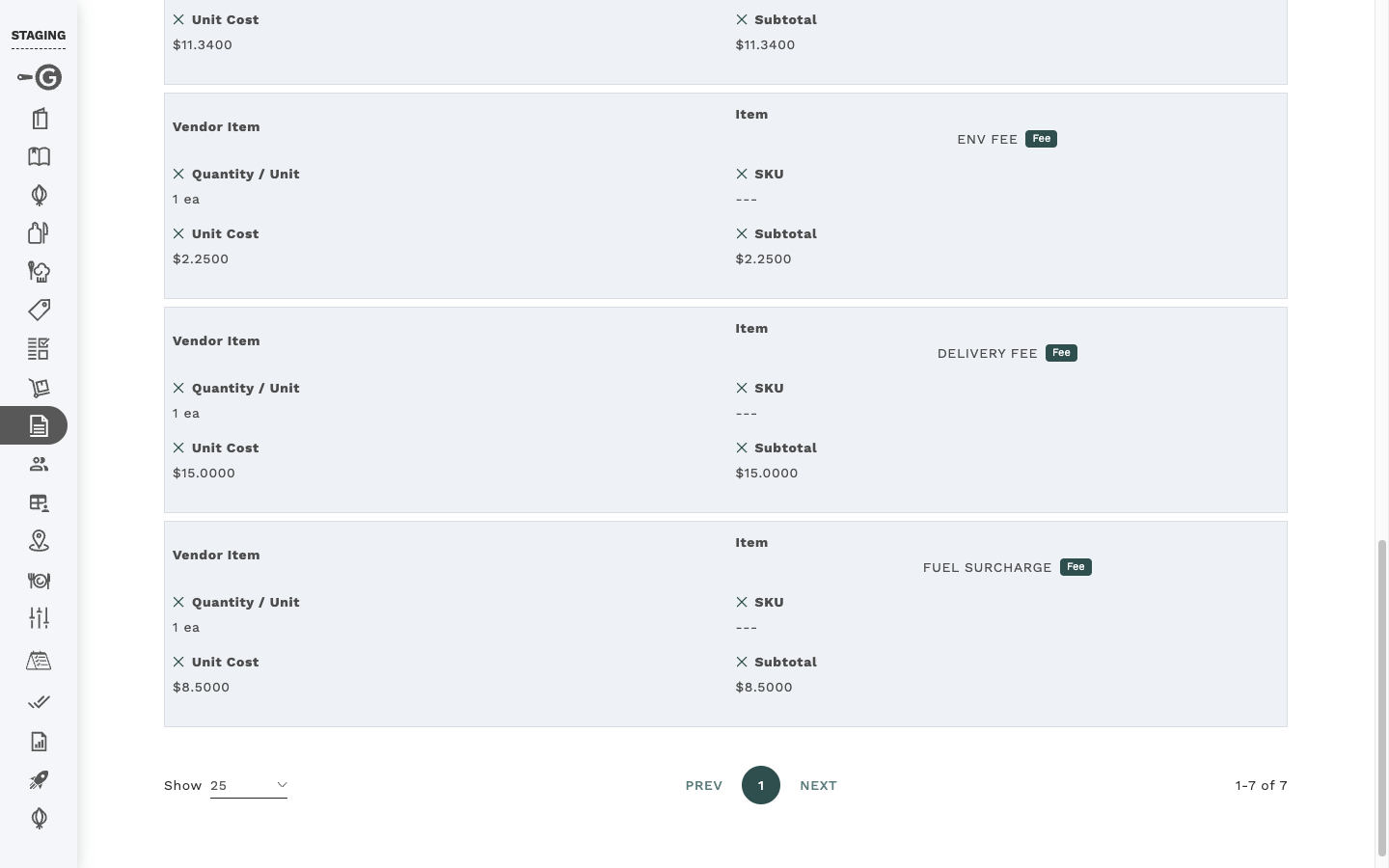
Galley's AI tags every line as Product, Fee, or Tax. Fuel surcharges, delivery fees, freight, handling, small-order fees, and tax lines are recognized automatically, skip catalog matching entirely, never throw an "unmapped" warning, and never block approval. GL Code Rules then code fees and tax automatically by type, so your accounting data stays clean on every invoice.
Approval is reversible without leaving a mess
"Unapprove" is a true undo. It unlocks the invoice for editing and rolls back the vendor cost updates and receiving records that approval created, so a mistaken approval never corrupts your cost history or inventory.
Every invoice carries its own paper trail
Invoices keep a full activity log with timestamps and user attribution. For emailed invoices, the sender's address (and their Galley name if they are a user) is captured and available as a column, so following up on a questionable invoice takes seconds.
Review against the source, side by side
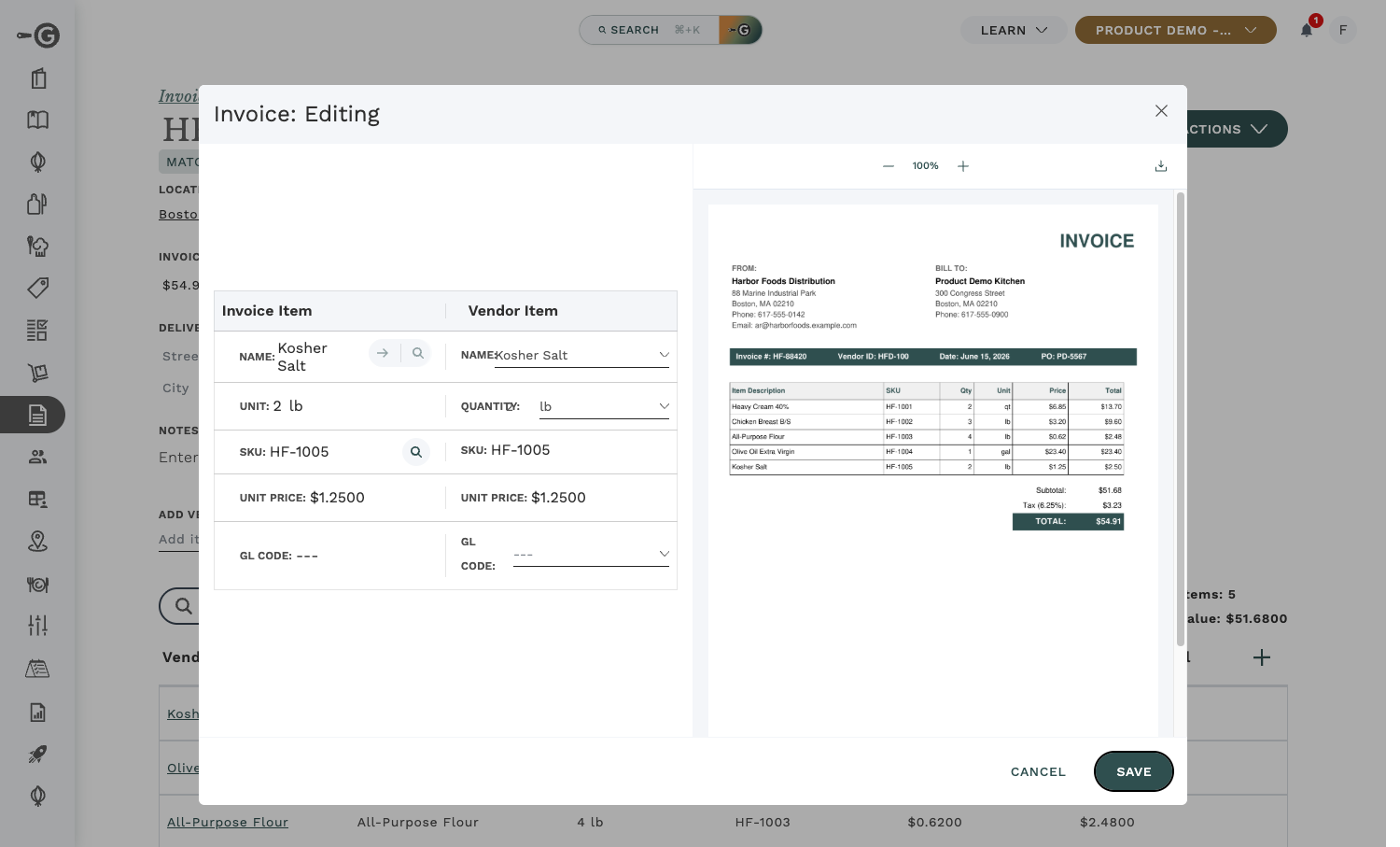
The review view puts extracted data on one side and the original invoice image on the other. The image panel supports zoom, pan, multi-page navigation, and download, so verifying an extracted total against the page it came from is immediate. Panels are resizable and the layout is remembered.
Built for volume
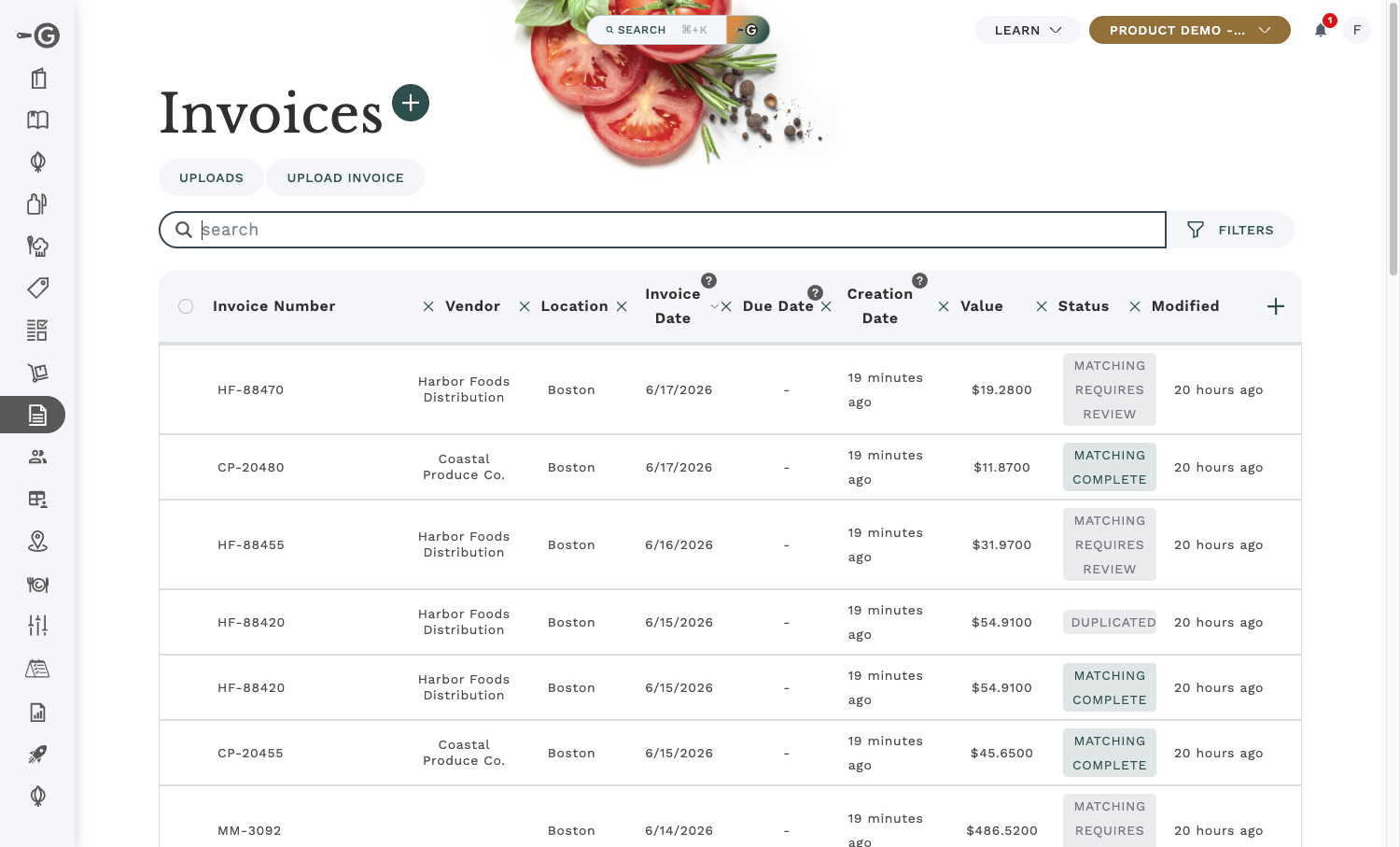
Persistent filters by status, vendor, location, date, and number, plus customizable columns, row selection, and bulk approve, archive, or delete, mean you can clear a large batch upload in a few clicks instead of opening invoices one at a time.
It builds your catalog as invoices arrive
With auto-create turned on, Galley grows your catalog from real purchasing activity instead of upfront data entry. An invoice from a brand-new vendor creates that vendor automatically from the name and address on the document; new line items in standard units like lb, oz, each, and gallon become vendor items without manual entry. Items in non-standard units still route to manual review, so nothing ambiguous slips in.
Built-in safeguards
A few things working quietly in the background:
- Raw inbound emails are retained for traceability.
- Duplicate emails are rejected automatically, so a double-send does not create double invoices.
- Email intake guards against abuse with an attachment cap and per-file size limits.
- Accepted formats: PDF, PNG, JPG, JPEG, and TIFF.
- Approved invoices are immutable: they cannot be deleted, only archived.