
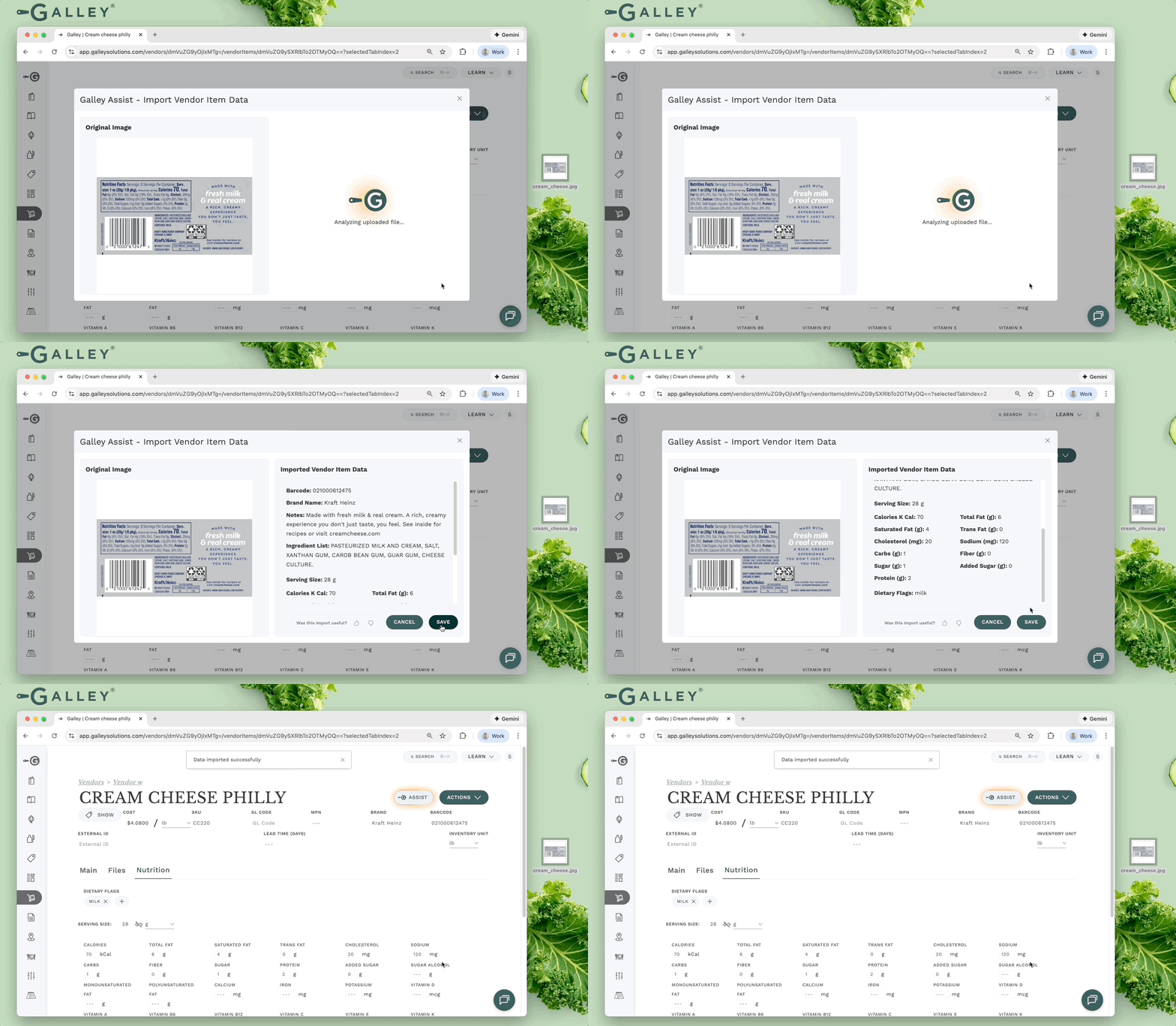
Skip tedious and error-prone manual data entry by uploading images of nutrition labels or spec sheets. Galley Assist automatically extracts nutritional values and other data to populate your vendor items.
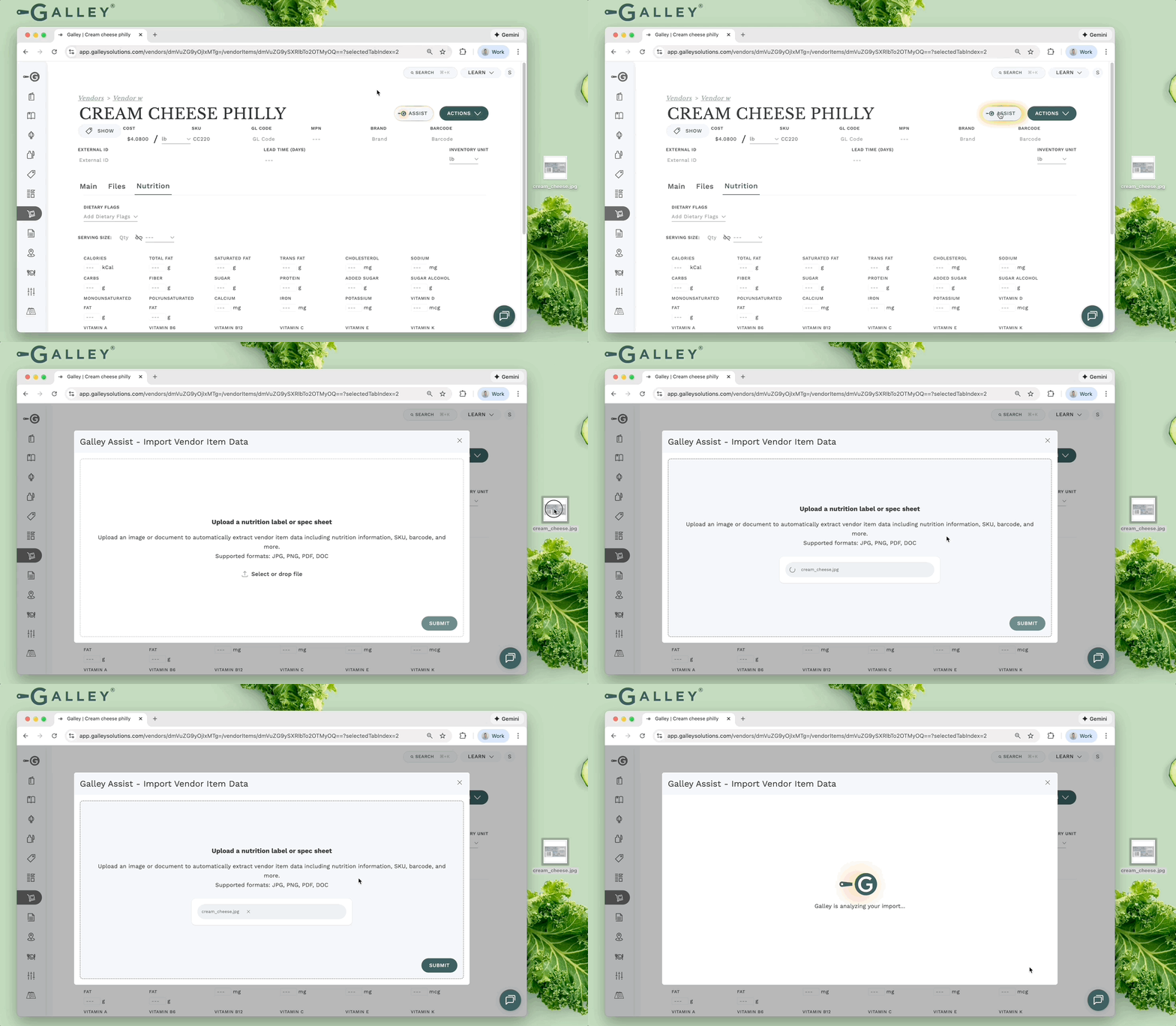
Navigate to your vendor item's detail page. Click the Galley Assist button next to the Actions dropdown. Then, upload your image (drag & drop or select file).
Review the extracted data and click Save to apply changes.
Permissions:
The importer is available to users with any of these permissions:
- Edit Vendor and Vendor Item Data
- Edit Vendor Item Nutritionals
- Edit Vendor Item Dietary Flag Associations
The importer respects your existing permissions. For example, if you can edit vendor item data but not nutritionals, you can import barcodes but not calorie counts.