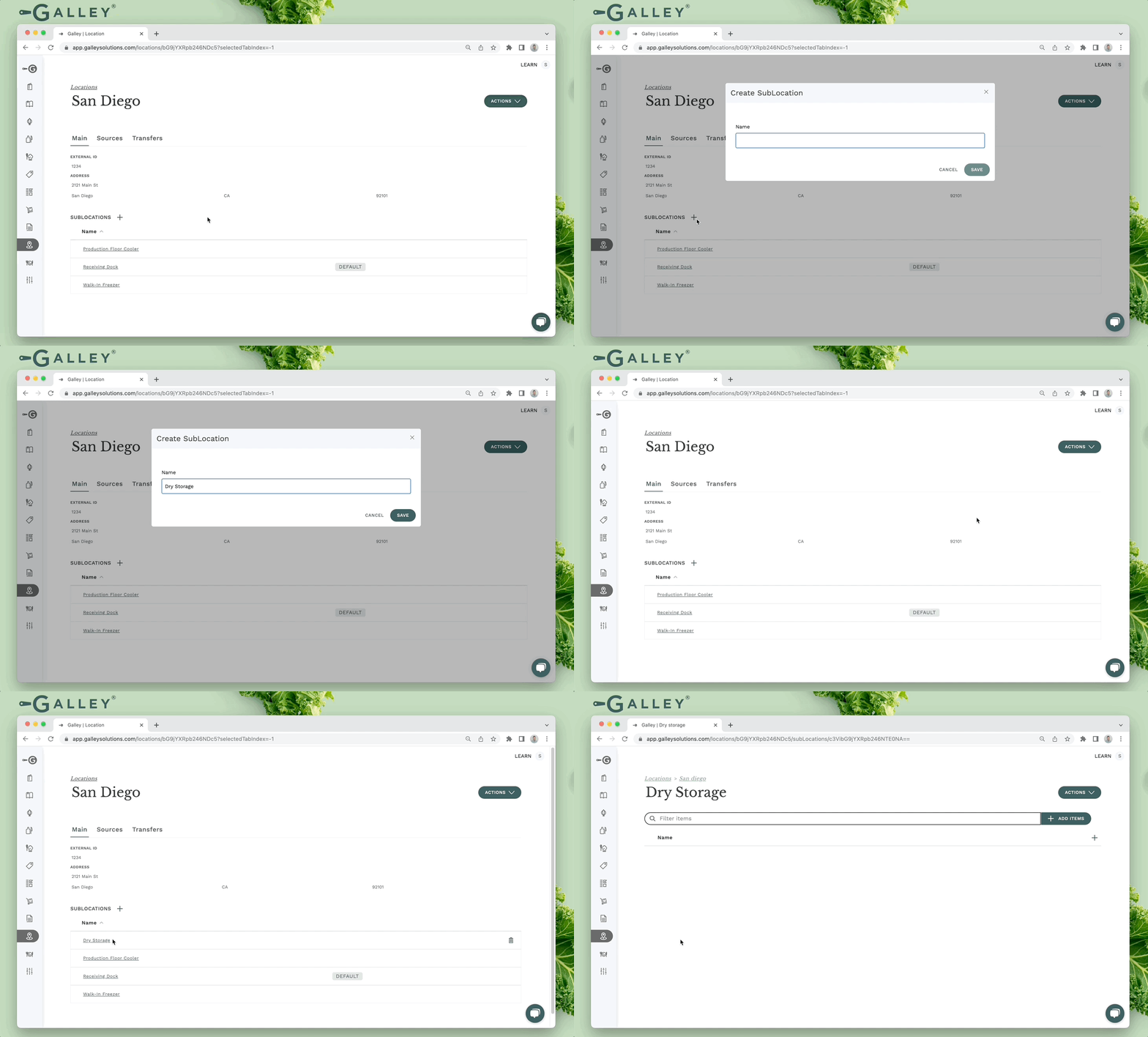
Sub-locations represent storage areas within a given location in Galley. The items that are stored in a given sub-location are called sub-location items. These can be vendor items or recipes. Cycle counts can be created via a sub-location where all sub-location items are included, similar to cycle count templates (see How do sub-locations affect my inventory?).
Sub-locations can be managed via the sub-locations table on the main tab of a location's detail page. To create a new sub-location click the "+" at the top of the table and enter the new sub-location's name.
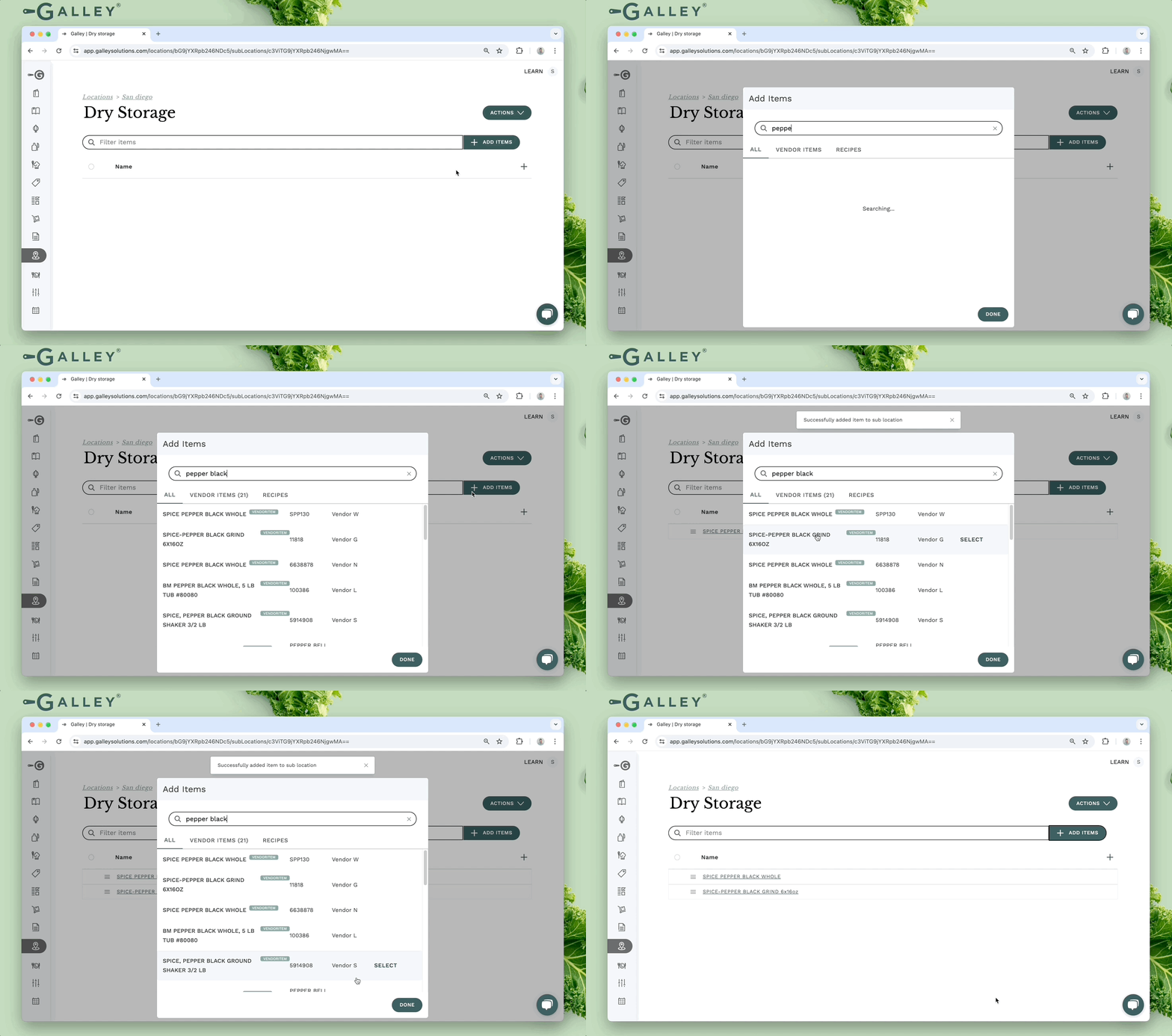
Once a sub-location is created, recipes and vendor items can be added. To do so, click + Add Items and search for the appropriate vendor items or recipes. The modal will remain open as items are selected.
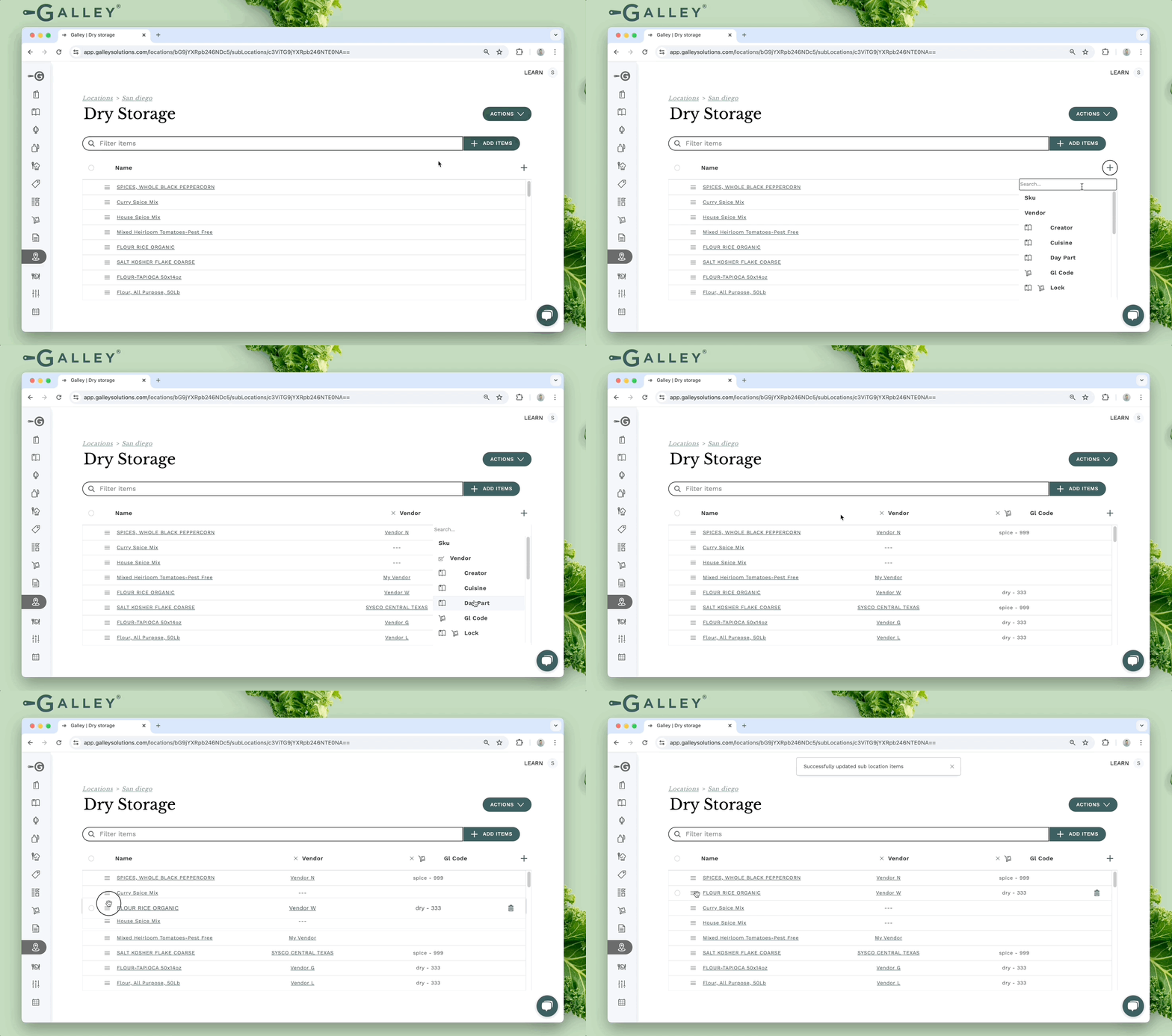
Recipe and vendor item categories can be added as columns to the sub-location items table. If a given category name is shared by a recipe and a vendor item category, the values will be condensed into a single column. The items in the sub-location are sortable. The sort order set here will be maintained when a cycle count is created for the sub-location.
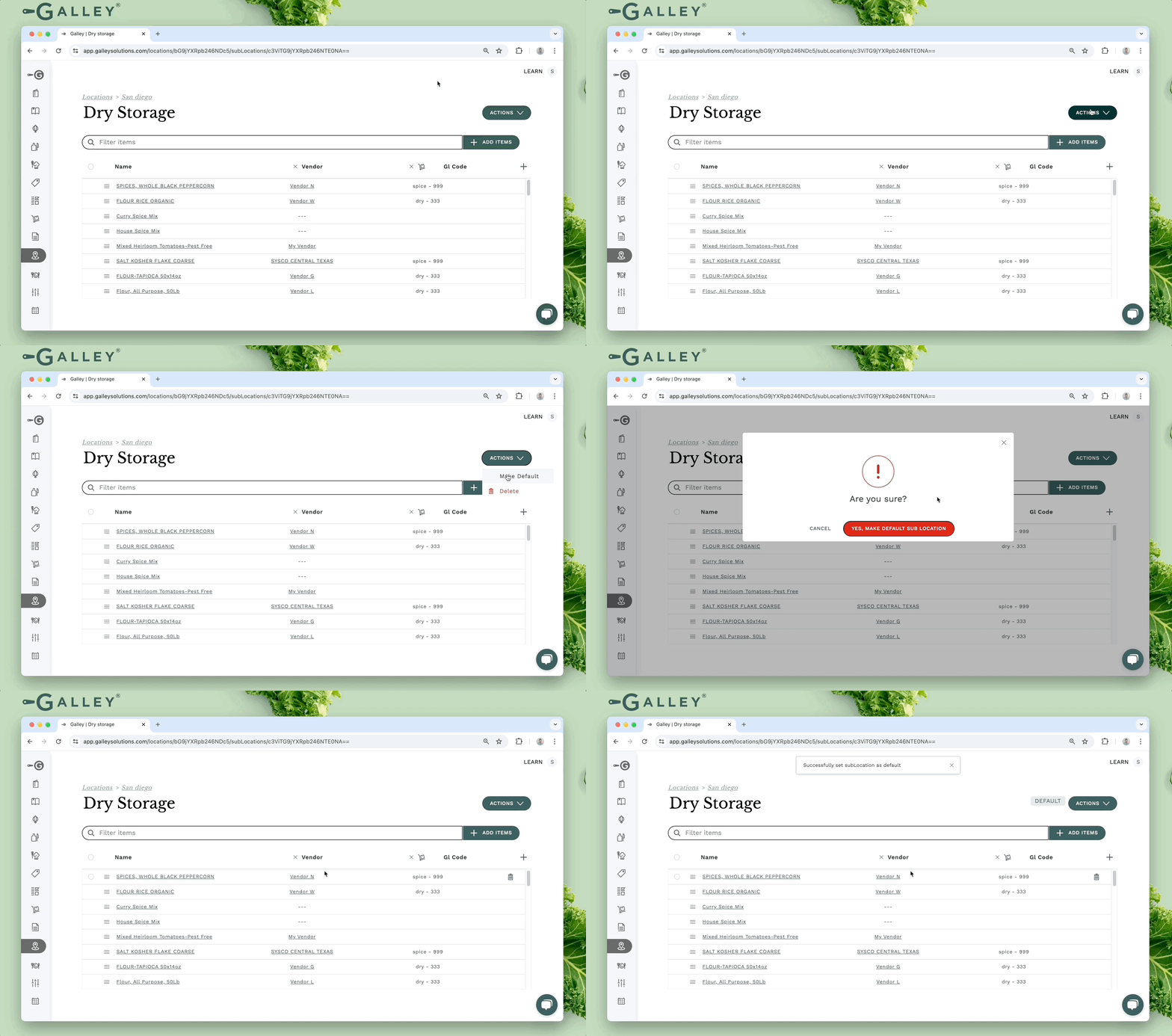
When a vendor item is received and that vendor item does not yet have a sub-location item at the location, a sub-location item will be created at the default sub-location. A sub-location can be made to be the default sub-location for a location via the Make Default button in the Actions dropdown.
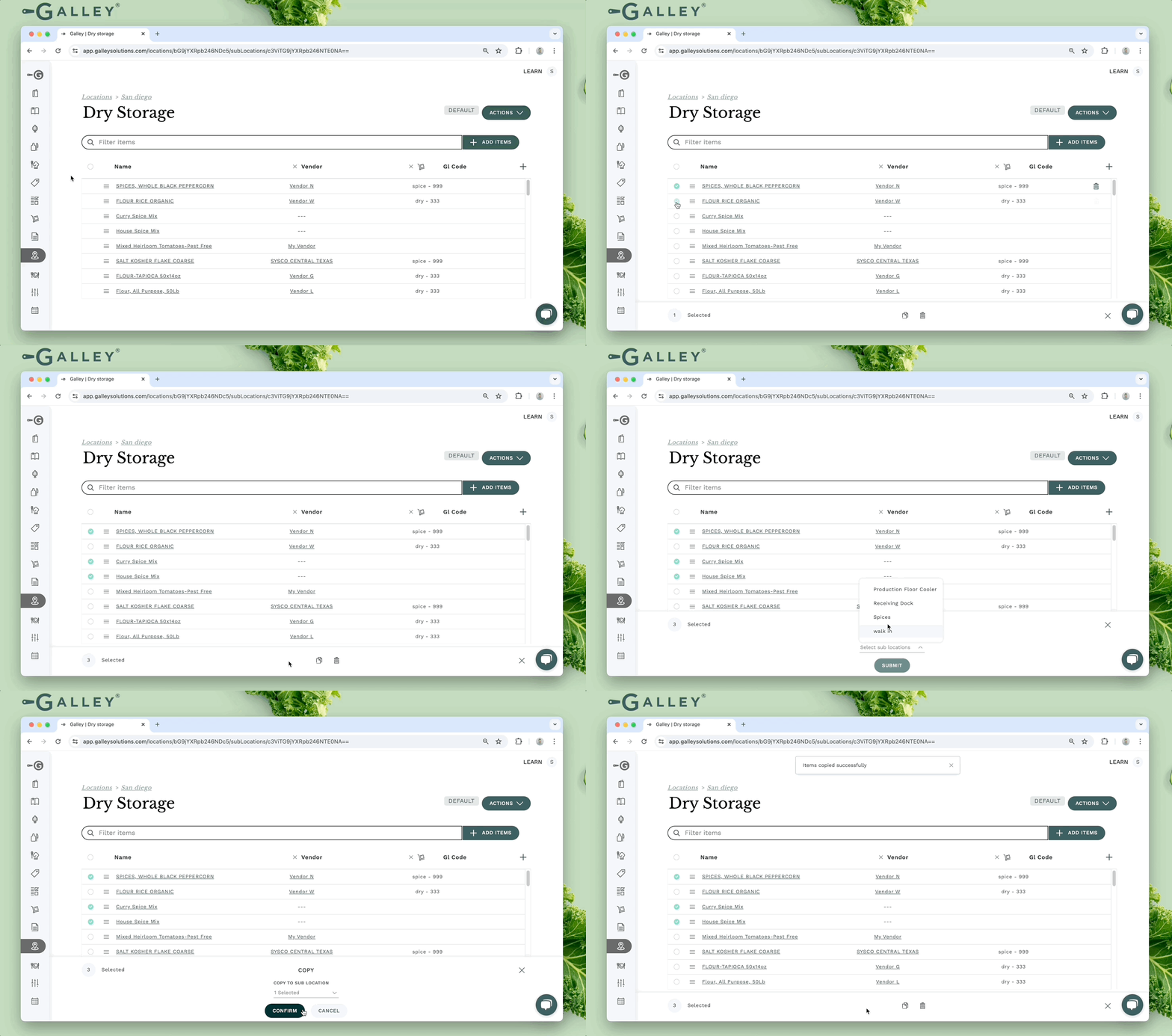
Sub-location items can be copied in bulk to another sub-location. This can be used whether the items should still be counted in the original location or whether they should only be counted in the new location. If the items should only be counted at the new location, they can be bulk deleted after they are copied. The resulting sub-location item(s) will appear at the bottom of the list for the new sub-location.