
This article explains how to change the date format on purchase orders sent to vendors. Galley supports two formats
• Month Day Year
• Day Month Year
The selected format is saved per user and persists across other purchase orders.
How It Works
• Changing the date format on one purchase order sets your default format
• All other purchase orders you create or edit will use the same format
• Other users may have different formats based on their own settings
Steps
- Go to Orders page.
- Select the green circle next to a PO
- On the toolbar that appears at the bottom of the page, click 'Print'
- Update the date format to Month, Day, Year or Day, Month, Year
- Download or perform your next desired action.
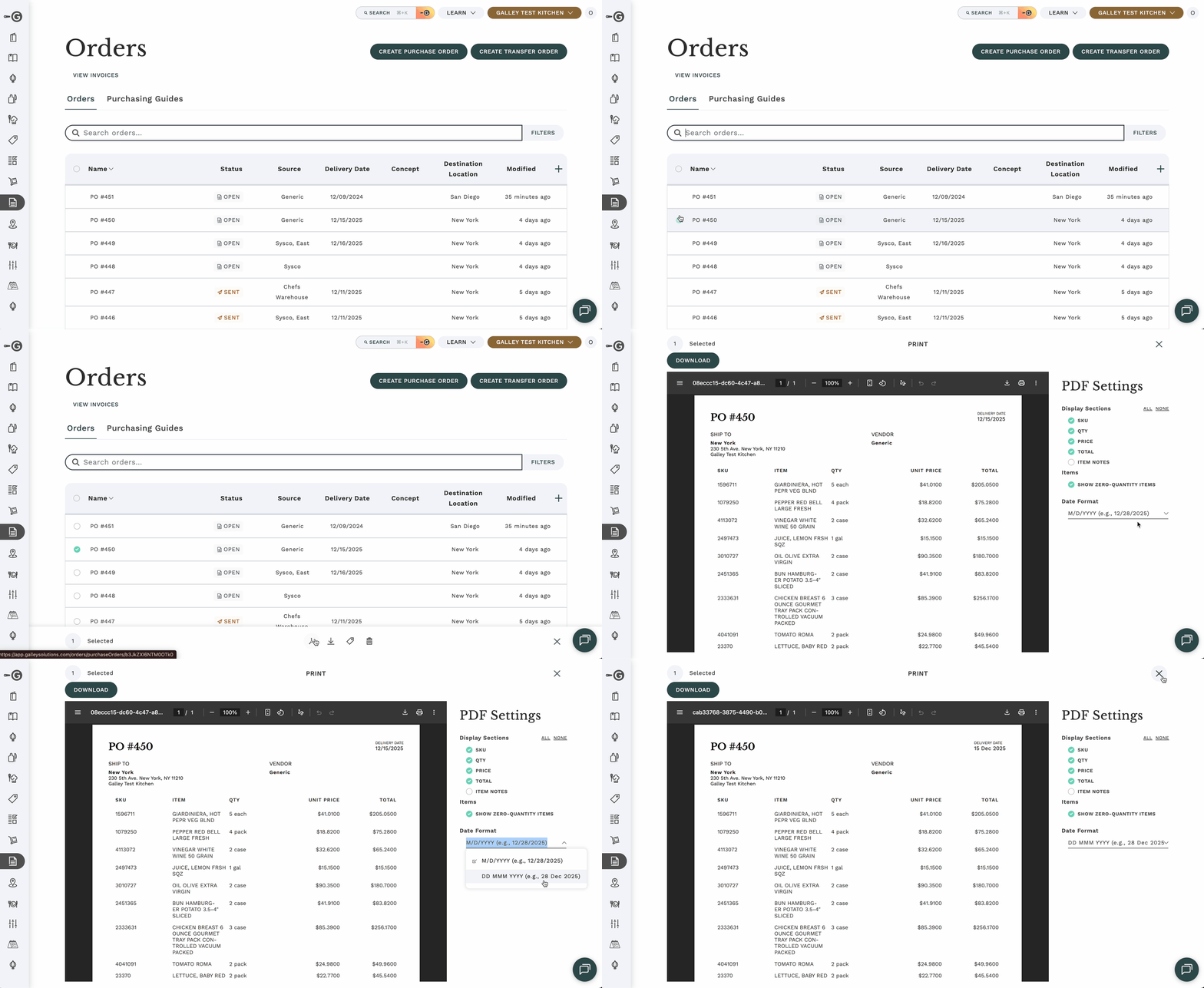
The format will automatically apply to your other purchase orders.