
Jump to: Overview · Choose your method · Current Market Value · FIFO · FIFO nuances · Compare methods · FAQ
What are inventory valuation methods?
Galley supports two methods for valuing your on-hand inventory: Current Market Value and First-In, First-Out (FIFO). The method you choose determines how Galley calculates the dollar value of the items you have on hand, most visibly in your cycle counts and on-hand inventory views.
Current Market Value is the default. It values everything at today's prices, which keeps things simple and always current. FIFO values inventory based on what you actually paid when each batch arrived, which gives you a more accurate picture of the cost sitting on your shelves.
This article explains how each method works, how to choose between them, and a few important nuances in how Galley applies FIFO.
You'll see the effects of your valuation method in three main places: the item costs on your cycle counts, and the values on your inventory page, and in inventory reports.
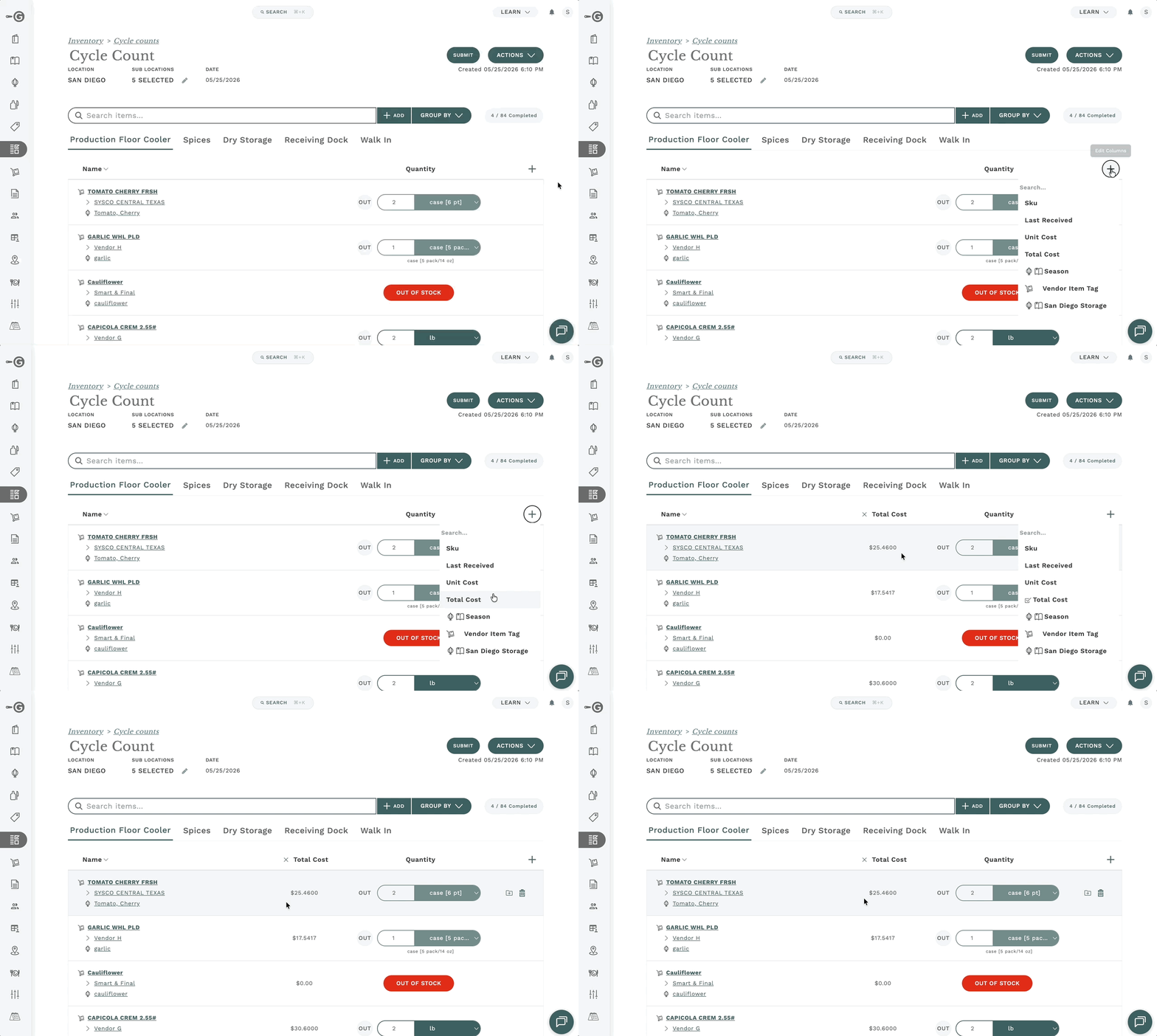
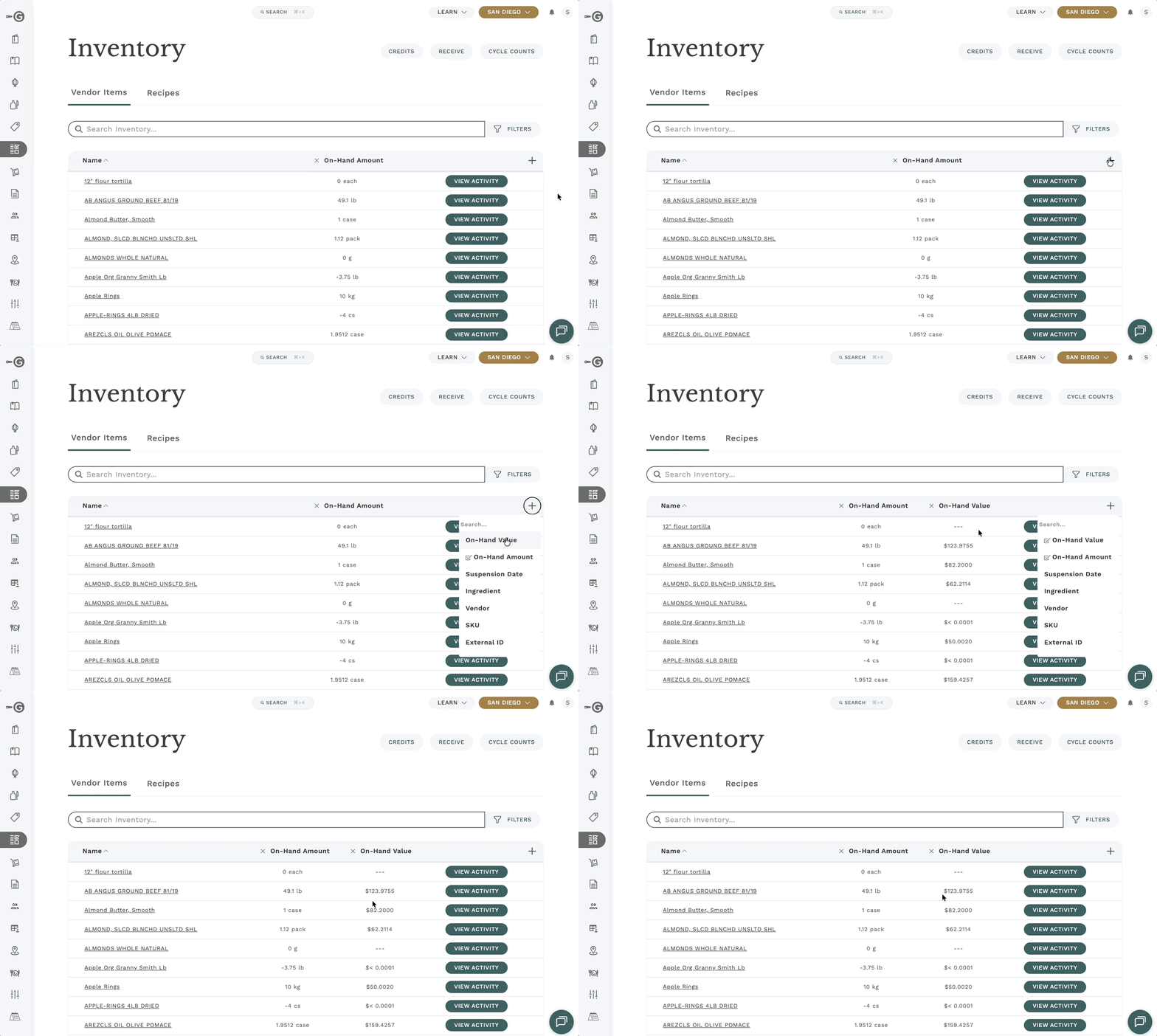
Your valuation method is a company-wide setting. It applies to all locations and all inventory items, you can't mix methods across locations.
Choosing your valuation method
Admins can set the valuation method in your company settings:
- Go to Settings and open the Company Settings tab
- Find the Inventory Costing Strategy setting
- Choose either Current Market Value or First-In, First-Out (FIFO)
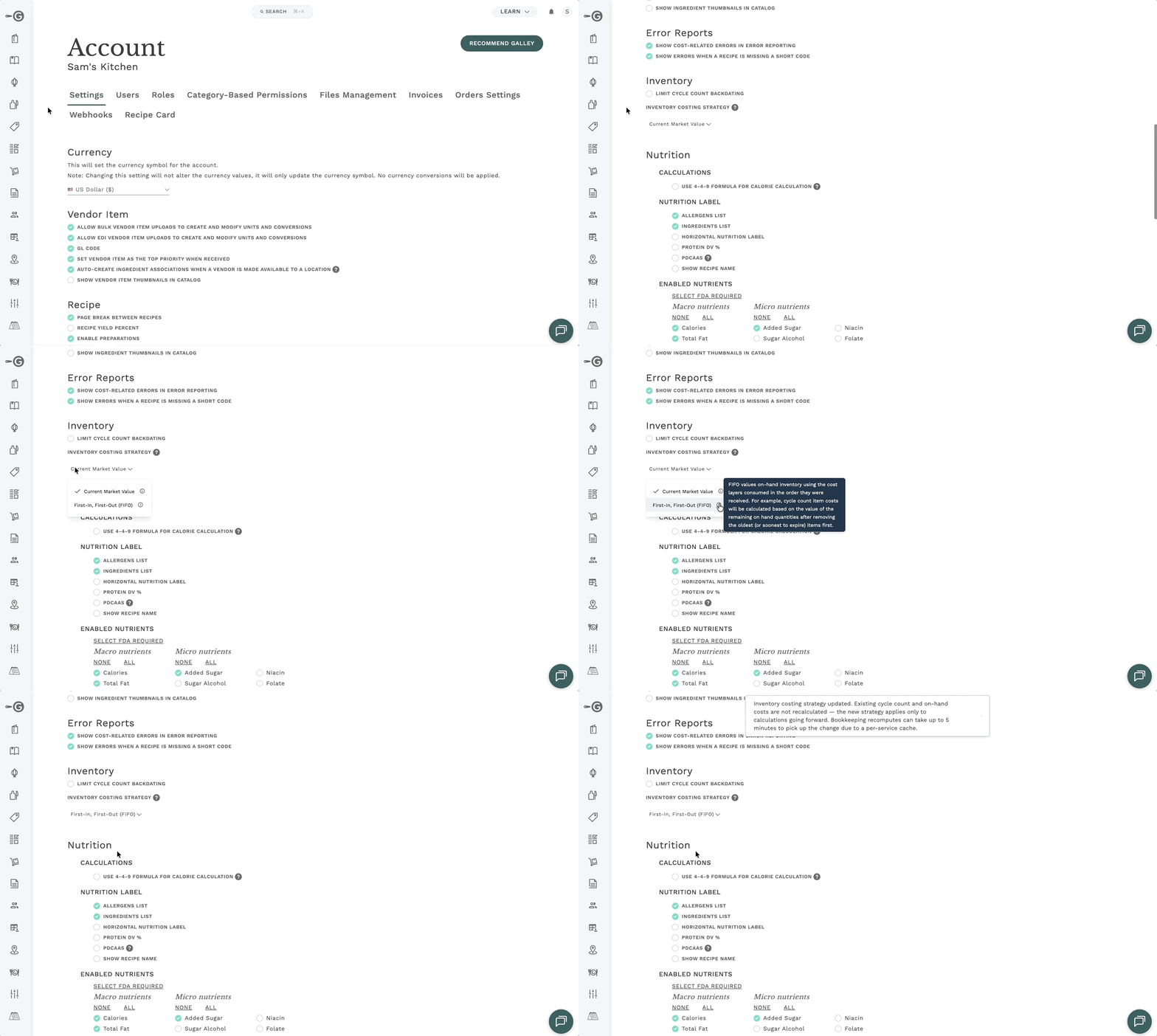
Changing your valuation method only affects calculations going forward. Existing cycle count costs and on-hand values are not recalculated. The change can also take up to 5 minutes to fully take effect across the system.
How Current Market Value works
Current Market Value is the simpler of the two methods. It values your on-hand inventory using the latest known cost for each item:
- Purchased items use the most recent cost on record, typically from your latest invoice or a manually entered cost
- Recipes and finished goods use the recipe's current calculated cost
The value is recalculated every time you view it. If a vendor raises a price today, your on-hand inventory value reflects that immediately, even for inventory you received weeks ago at a lower price.
For example: say you have 10 lbs of flour on hand. You paid $0.50/lb when you received it, but your most recent invoice shows $0.65/lb. Under Current Market Value, your on-hand flour is valued at $6.50, the current price, not what you originally paid.
Backdated cycle counts use the price from that date. If you record a cycle count for a past date, purchased items are valued using the vendor item cost that was in effect on the count date, not today's price. This keeps backdated counts consistent with what items actually cost at the time.
Current Market Value is a good fit if you want inventory values that reflect replacement cost, what it would cost to buy that inventory today.
How FIFO works
FIFO (First-In, First-Out) values your inventory based on what you actually paid for it. Here's the core idea:
- Every time you receive inventory (or produce a finished good), Galley creates a cost layer that records the quantity and the cost at that moment
- As inventory is used, sold, or counted down, the oldest layers are consumed first
- Your on-hand inventory value is the sum of the remaining layers' costs
This means your inventory value reflects real purchase history. If you received flour at $0.50/lb last month and $0.60/lb yesterday, FIFO keeps both costs and applies them in order.
For example: you have 10 lbs of flour on hand across two layers, 6 lbs at $0.50/lb (received last week) and 4 lbs at $0.60/lb (received yesterday). Your cycle count confirms 10 lbs. Your on-hand value is $5.40: the actual cost of both layers.
If your count comes in at 7 lbs instead, Galley removes the missing 3 lbs from the oldest layer first. You're left with 3 lbs at $0.50 and 4 lbs at $0.60, a value of $3.90.
"Oldest first" means soonest-to-expire first
When your inventory has expiration dates, Galley consumes layers in expiration order, soonest to expire first, rather than strictly by the date received. In practice this usually matches receipt order, but if a newer delivery has an earlier expiration date, that layer is consumed first.
This mirrors how most kitchens actually rotate stock, so your inventory value stays aligned with what's physically on the shelf.
FIFO values are locked in at transaction time
Unlike Current Market Value, FIFO costs are captured at the moment of each transaction, a cycle count, a production run, a transfer, and don't change afterward. A later price increase from your vendor won't change the value of inventory you already have on hand.
This makes FIFO values stable and auditable: the number you saw at count time is the number you'll see later.
Why Galley's FIFO isn't exactly textbook FIFO
Textbook FIFO assumes every unit of inventory entered your system through a recorded purchase, so every unit has a cost layer. Real kitchens are messier than that, and Galley handles those messy cases deliberately. Here's where Galley's FIFO diverges, and why.
Counting more than Galley has on record
Sometimes a cycle count finds more inventory than Galley has on the books, maybe a receipt was missed, a transfer wasn't logged, or a previous count was off. That extra quantity has no cost layer, because Galley has no record of how it arrived.
When this happens, Galley values the unaccounted-for quantity at the current market price (the item's most recent cost). Your existing layers keep their historical costs; only the surplus gets today's price.
For example: Galley shows 10 lbs of flour on hand (6 lbs at $0.50/lb and 4 lbs at $0.60/lb), but your count finds 12 lbs. The 10 lbs on record keep their layer costs, $5.40 total. The extra 2 lbs are valued at today's price of $0.65/lb, adding $1.30. Your counted inventory is valued at $6.70.
This is the most accurate option available: with no purchase record for the surplus, the current market price is the best estimate of what that inventory is worth.
Recipe counts draw from finished good layers too
When you cycle count a recipe, Galley considers two sources of cost layers: the recipe's own layers, and the layers of finished goods produced from that recipe. The recipe's own layers are used first, then finished good layers.
This means a recipe count reflects the full cost history of that item, whether it entered inventory as a batch you produced or as packaged finished goods.
Layer costs can't be corrected after the fact
A cost layer gets its cost once, at the moment it's created from receiving, an invoice, or a production run. If that cost was entered incorrectly (for example, an invoice with the wrong price), there isn't a way to edit the layer's cost afterward.
This makes accuracy at receiving time especially important under FIFO. Double-check invoice costs and received quantities as they come in, those numbers stay with the inventory until it's consumed.
The impact does fade naturally: as inventory is used, mis-costed layers are consumed and replaced by newer layers with correct costs.
Negative balances are corrected at market price
If a transaction would take an item's recorded balance below zero, for example, usage was recorded for inventory that was never received in the system, Galley creates a correction to bring the balance back in line. Like counted surpluses, that correction is valued at the current market price, since there's no purchase layer to draw from.
Comparing the two methods
| Current Market Value | FIFO | |
|---|---|---|
| What it values inventory at | Latest known cost for each item | Actual cost of each batch, oldest consumed first |
| When values update | Recalculated every time you view | Locked in at each transaction |
| Price changes affect existing inventory? | Yes, immediately | No, existing layers keep their cost |
| Counted surplus valued at | Current market price | Current market price (no layer exists for it) |
| Best for | Simplicity; replacement-cost view | Cost accuracy; audit-friendly history |
| Default? | Yes | No, opt-in via company settings |
Frequently asked questions
Which method should I choose?
If you want simplicity and values that always reflect today's prices, stay with Current Market Value. If you want your inventory value to reflect what you actually paid, and you keep receiving and counts up to date, FIFO gives you a more precise picture. FIFO rewards good inventory hygiene: the more complete your receiving records, the more of your inventory is covered by real cost layers.
If I switch methods, will my past cycle counts be recalculated?
No. Switching is forward-only. Existing cycle count costs and on-hand values stay as they were calculated; the new method applies only to calculations from that point on. Allow up to 5 minutes for the change to take effect everywhere.
Where does the "current market price" come from?
It's the most recent cost Galley has for the item, usually from your latest invoice, or a manually entered cost. For recipes, it's the recipe's current calculated cost.
Why does part of my FIFO cycle count show today's price instead of an older lot price?
You likely counted more than Galley had on record. The quantity covered by your cost layers keeps its historical costs; anything beyond that is valued at the current market price because there's no purchase record for it. If this happens often, it usually points to receiving or transfer activity that isn't making it into Galley.
Can different locations use different methods?
No. The valuation method is set once for your whole company and applies to all locations.